YouTube Translate Logo YouTube Translate

Subtitles, Summaries & Translation
for YouTube Videos

Instantly extract subtitles, generate AI-powered summaries, and translate any YouTube video into 134+ languages. Free on iOS & Android.

YouTube Translate is a free iOS and Android app that turns any YouTube video into text you can read, translate, and study. Paste a link and it pulls the video's existing YouTube captions — that part is free and unlimited, with no account needed. If the video has no captions, the app can transcribe the audio itself with Google's Gemini model. From there you can translate into 134+ languages, generate an AI summary, or turn the transcript into flashcards and a quiz. Those AI features need a Premium subscription; AI processing covers videos up to 1 hour (2 hours on the automatic fallback for videos without captions). The app interface is available in 30 languages, and transcripts export to PDF.

See it work — instantly

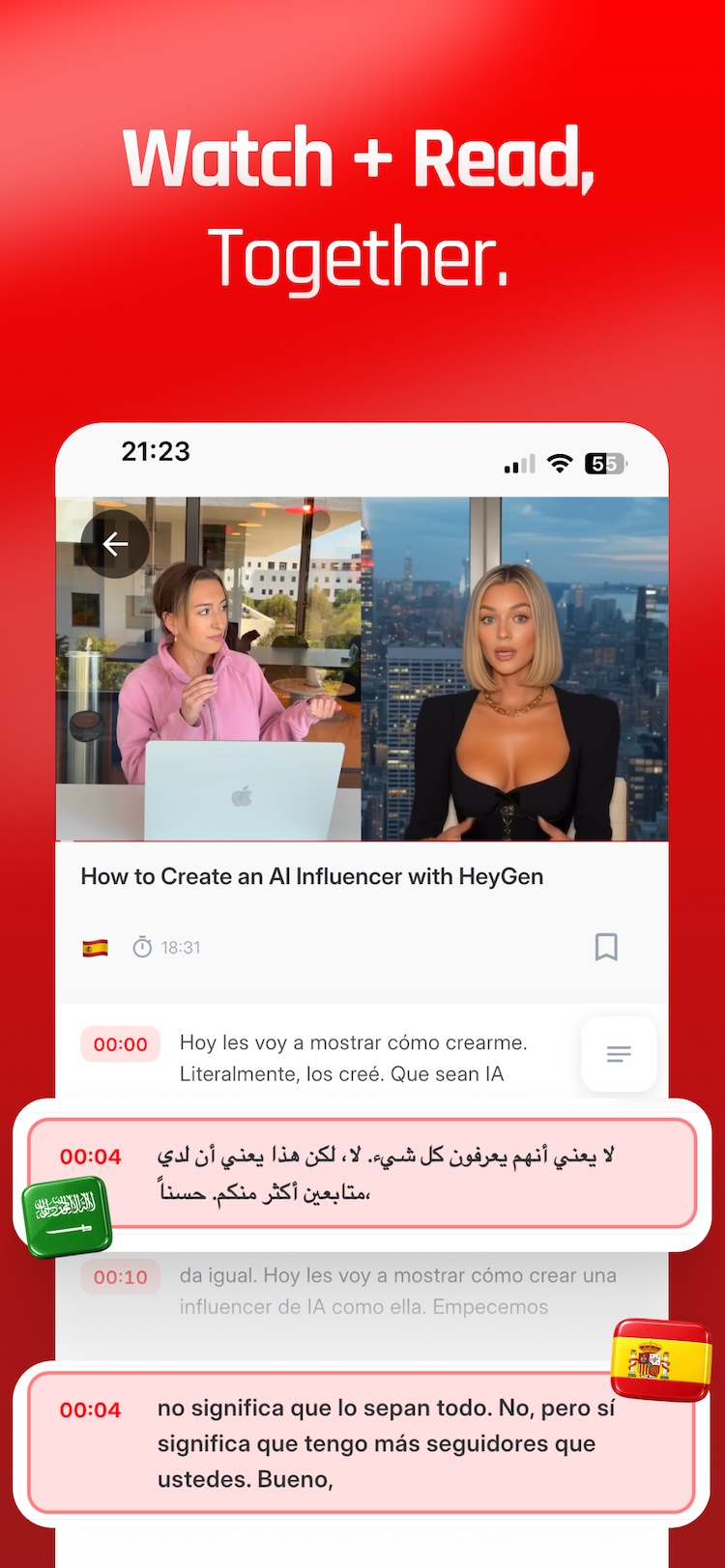
Paste a YouTube link. Subtitles appear in seconds, then translate into your language.

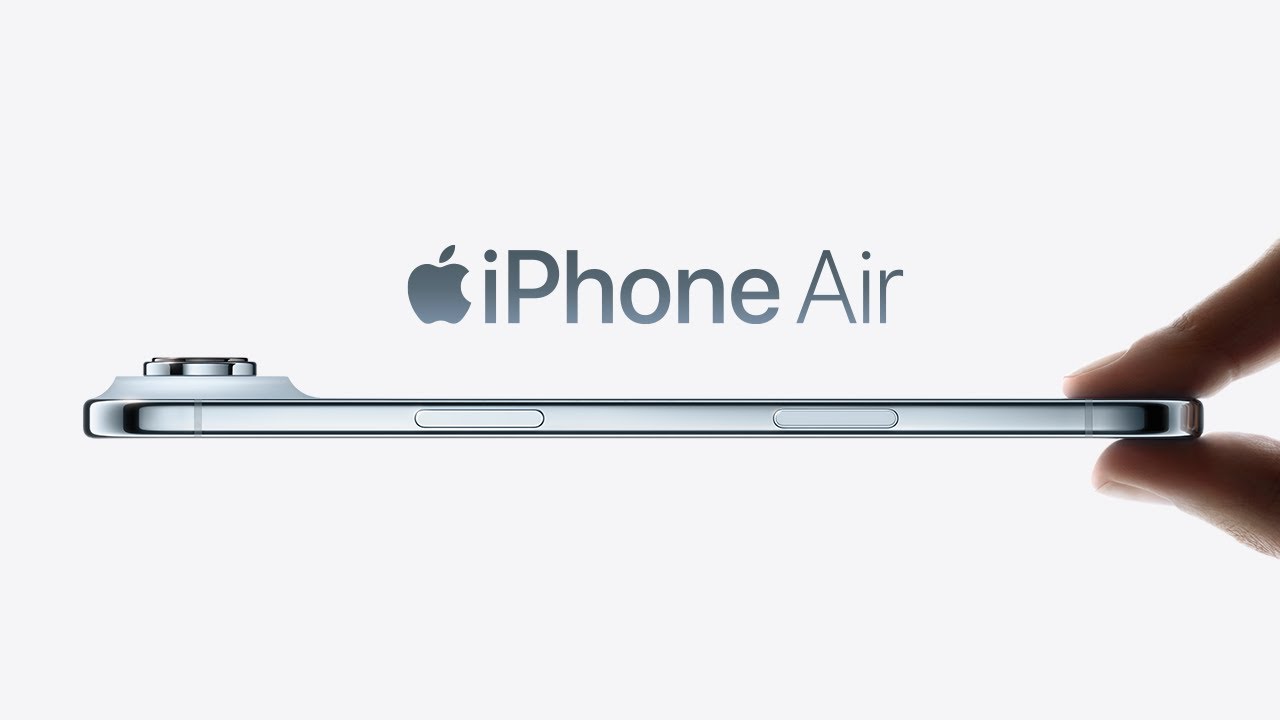
iPhone Air demo video — tap to play
      Tap play to see captions live
      Captions appear in sync with the video. Tap the flag above to translate into 30+ languages.

      Recently Summarized Videos

      A live look at the latest AI summaries generated by the community — browse a few or explore the full catalog.

      Everything You Need for YouTube Videos

      A powerful toolkit that makes any YouTube video accessible, understandable, and translatable in seconds.

      Instant Subtitle Extraction

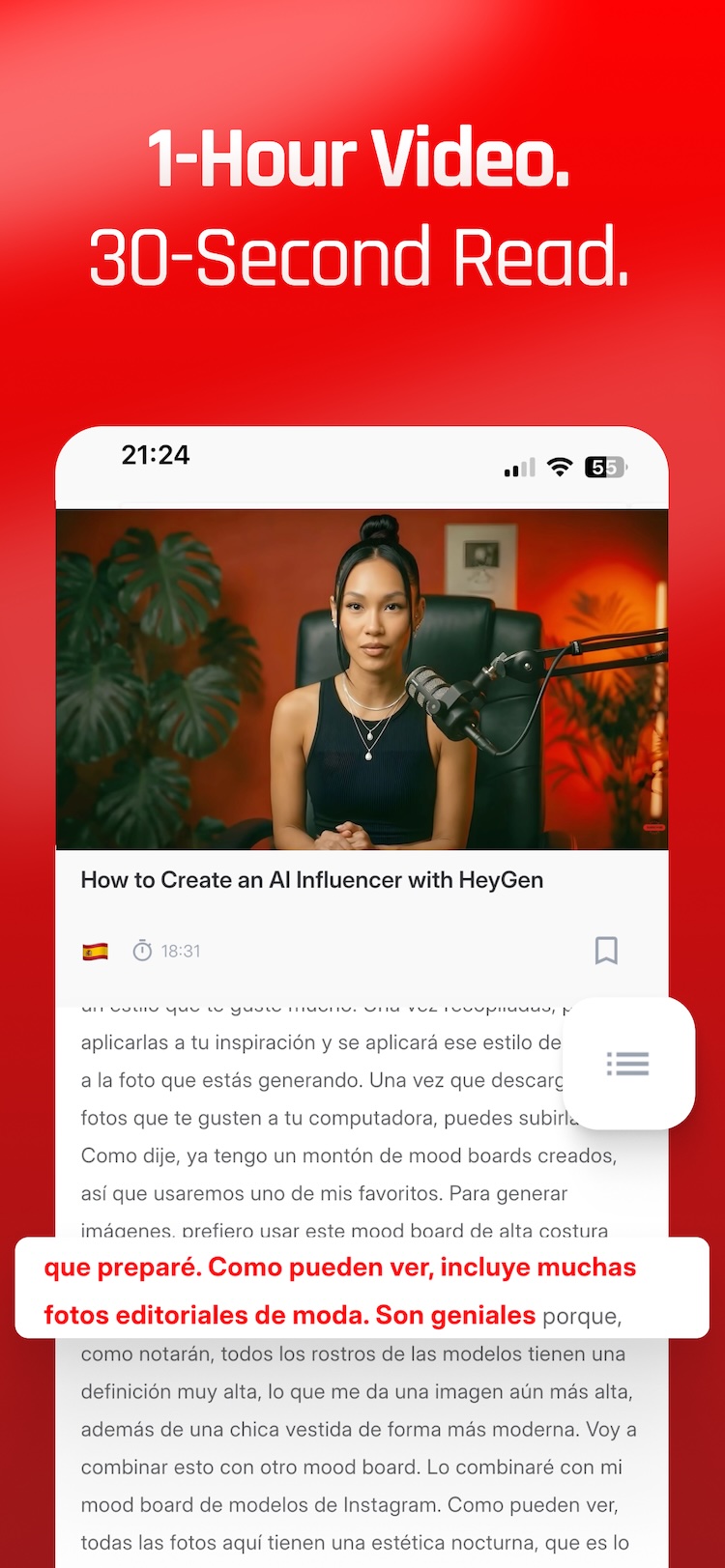
      Extract accurate subtitles and closed captions from any YouTube video with a single tap. Whether the video has auto-generated or manually uploaded captions, YouTube Translate fetches them instantly so you can read along or study the content at your own pace. Perfect for language learners, students, and researchers who need quick access to video transcripts.

      🌐

      Translation in 134+ Languages

      Break language barriers with real-time translation of YouTube video subtitles into over 134 languages. From English to Japanese, Turkish to Arabic, Spanish to Korean — YouTube Translate makes every video understandable regardless of the original language. Powered by advanced translation technology for natural, accurate results.

      AI-Powered Video Summaries

      Save time with intelligent AI-generated summaries of YouTube videos. Get the key points, main arguments, and essential information from long lectures, tutorials, podcasts, and documentaries in seconds. Understand hour-long videos in minutes without watching them entirely — ideal for busy professionals and students.

      📄

      Export & Save as PDF

      Download your transcripts, translations, and summaries as beautifully formatted PDF documents. Save them for offline reading, share with colleagues, or archive for future reference. Build your personal knowledge library from YouTube content with professional-quality exports you can use anywhere.

      💡

      Simple & Intuitive Interface

      Just paste a YouTube URL and tap a button — that's all it takes. YouTube Translate is designed to be fast, clean, and effortless. No complicated setup, no account required to get started. The app supports 30 interface languages so you can use it comfortably in your native language.

      🔒

      Premium Features for Power Users

      Unlock AI transcription for videos without captions, translation into 134+ languages, AI summaries, flashcards and quizzes with YouTube Translate Premium. Extracting subtitles and transcripts from videos that already have YouTube captions stays free and unlimited. Subscriptions are purchased and restored through your device's App Store or Google Play account.

      See It in Action

      View YouTube subtitles, generate AI-powered summaries, translate into 100+ languages, and customize every summary — all in one fast, intuitive app.

      YouTube Translate - Paste URL and fetch transcript
      View Subtitles
      YouTube Translate - View subtitles and captions
      Summarize
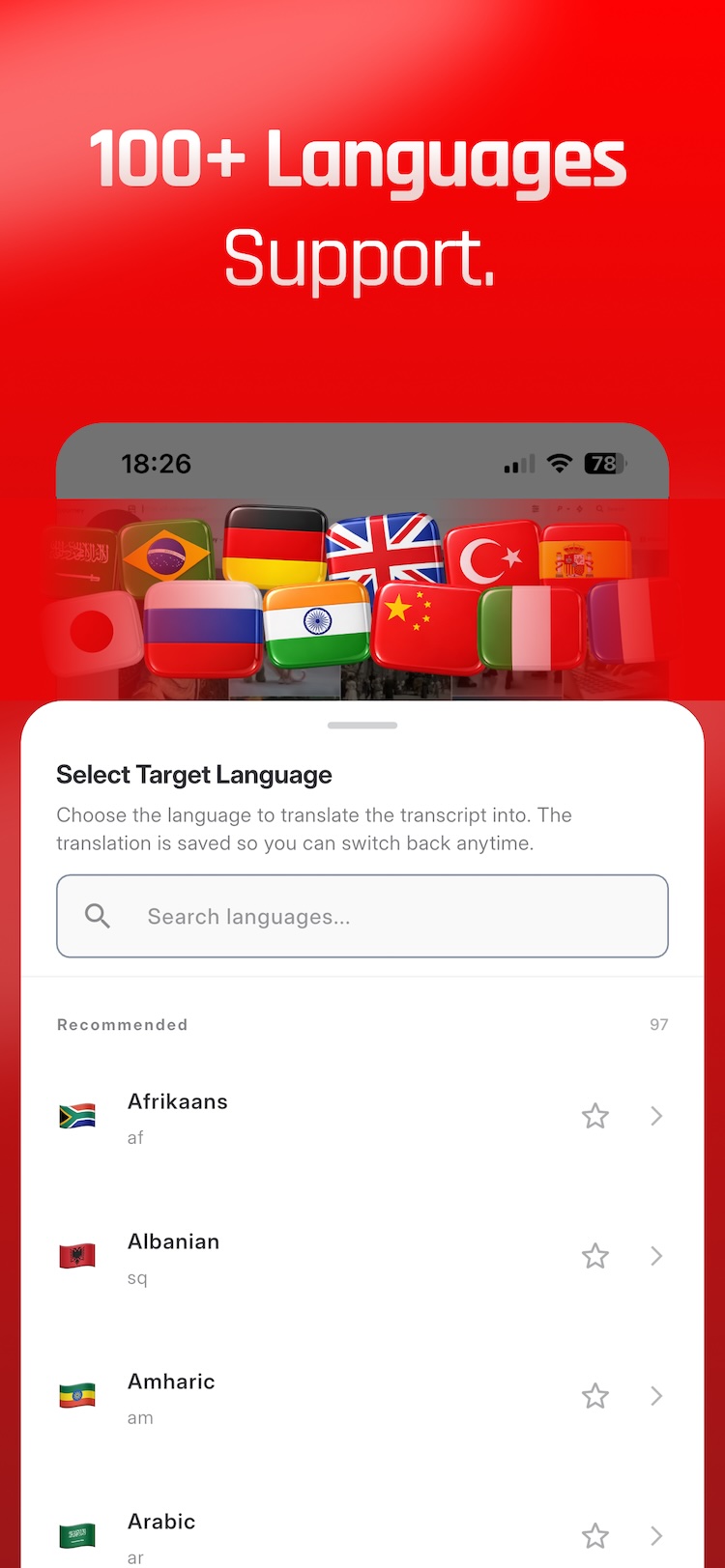
      YouTube Translate - Translate subtitles to any language
      100+ Language Support
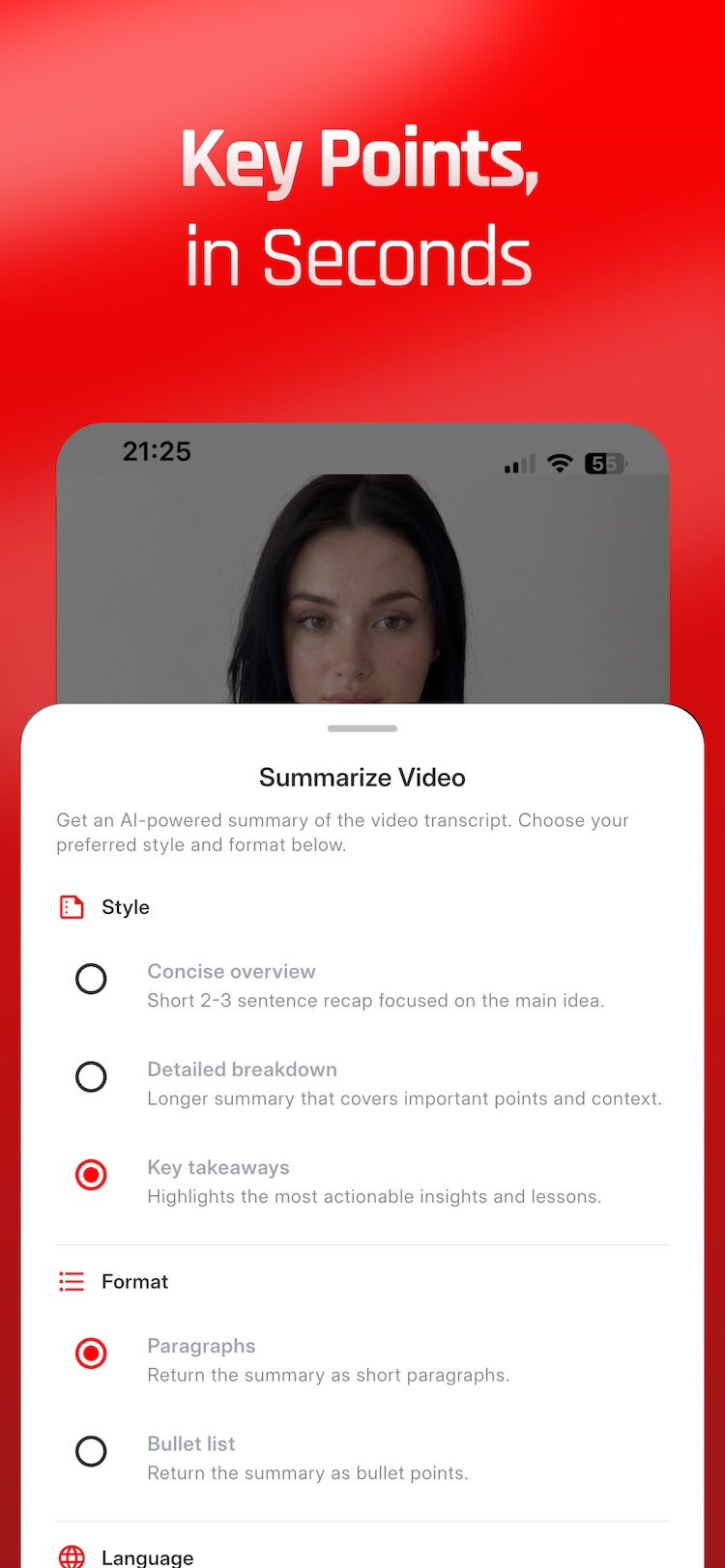
      YouTube Translate - AI-powered video summary
      Summary Preferences

      Supported Languages

      Use the app in your language and translate videos into 134+ languages.

      App Interface Languages (30)

      YouTube Translate is fully localized in these languages:

      English Turkish Arabic Azerbaijani Bulgarian Chinese (Simplified) Chinese (Traditional) Dutch Filipino French German Greek Hebrew Hindi Indonesian Italian Japanese Khmer Korean Malay Mongolian Polish Portuguese Romanian Russian Spanish Albanian Thai Ukrainian Vietnamese

      Translation Languages (134+)

      Translate YouTube video subtitles into any of these languages:

      Afrikaans Albanian Amharic Arabic Armenian Assamese Aymara Azerbaijani Bambara Basque Belarusian Bengali Bhojpuri Bosnian Bulgarian Catalan Cebuano Chinese (Simplified) Chinese (Traditional) Corsican Croatian Czech Danish Dhivehi Dogri Dutch English Esperanto Estonian Ewe Filipino Finnish French Frisian Galician Georgian German Greek Guarani Gujarati Haitian Creole Hausa Hawaiian Hebrew Hindi Hmong Hungarian Icelandic Igbo Ilocano Indonesian Irish Italian Japanese Javanese Kannada Kazakh Khmer Kinyarwanda Konkani Korean Krio Kurdish Kurdish (Sorani) Kyrgyz Lao Latin Latvian Lingala Lithuanian Luganda Luxembourgish Macedonian Maithili Malagasy Malay Malayalam Maltese Maori Marathi Meiteilon Mizo Mongolian Myanmar Nepali Norwegian Nyanja Odia Oromo Pashto Persian Polish Portuguese Punjabi Quechua Romanian Russian Samoan Sanskrit Scots Gaelic Sepedi Serbian Sesotho Shona Sindhi Sinhala Slovak Slovenian Somali Spanish Sundanese Swahili Swedish Tajik Tamil Tatar Telugu Thai Tigrinya Tsonga Turkish Turkmen Twi Ukrainian Urdu Uyghur Uzbek Vietnamese Welsh Xhosa Yiddish Yoruba Zulu

      Frequently Asked Questions

      Common questions about YouTube Translate

      Is YouTube Translate free to use?

      Yes, with a clear line between what is free and what is not. Extracting subtitles and transcripts from any public YouTube video that already has captions is free and unlimited — you can read them with timestamps, copy individual lines, and export the whole thing to PDF without an account, a card, or any daily allowance. What requires a Premium subscription is the work that runs an AI model: transcribing a video that has no captions of its own, translating a transcript into any of the 134+ supported languages, generating summaries, and building flashcards or quizzes. Premium purchases are handled by the App Store or Google Play and can be restored through the store account used to subscribe. Nothing you generate expires, and content already fetched stays readable on the device without a connection.

      How many languages does YouTube Translate support?

      YouTube Translate translates into more than 134 languages, covering every widely spoken language plus many smaller ones — from English, Spanish, Arabic and Hindi to Turkish, Vietnamese, Ukrainian, Bengali and Filipino. You pick the target language per video, so the same transcript can be read in one language today and another tomorrow. Separately from translation, the app's own interface is localized into 30 languages, which means menus, buttons and settings appear in your language even if you are translating into a different one. Translation runs on the transcript rather than the audio, so the output keeps the original timing structure and reads as continuous text rather than machine-chopped fragments. There is no per-language surcharge: every supported language is included in the same Premium subscription. Source languages are detected automatically from the transcript, so you never have to declare what language the video is in.

      Does it work with all YouTube videos?

      It works with any public YouTube video that has captions, whether YouTube auto-generated them or the creator uploaded them — that path is free and has no length limit. When a video has no captions at all, the app can still produce a transcript by sending the audio to Google's Gemini model; that fallback is a Premium feature and accepts videos up to 2 hours. Directly requested AI transcription covers videos up to 1 hour. Three categories never work, regardless of subscription: private and unlisted videos, because YouTube's API does not expose them; live streams while they are still broadcasting; and videos we have removed on a copyright complaint. If a video falls into one of those, the app tells you which case it hit rather than failing silently. When a video is rejected the app names the reason rather than failing silently, so you know whether to wait, pick another video, or upgrade.

      Can I save transcripts and translations as PDF?

      Yes. Transcripts, translations and AI summaries all export to PDF from inside the app, formatted for reading rather than as a raw dump — the video title and source link are included so the document is still traceable to its origin months later. The PDF goes through the standard iOS and Android share sheet, so you can save it to Files or Drive, mail it to yourself, drop it into a note-taking app, or send it to someone else. This is the usual route for students archiving lecture transcripts and for researchers who need the text inside a citation manager. Content you have already fetched stays available on the device, so an exported transcript can be reopened and re-shared without an internet connection. Summaries and translations export the same way, so a single video can leave the app as source text, a translation, and a condensed version.

      What is the AI video summary feature?

      The summary feature sends the video's full transcript to Google's Gemini model and asks it for the substance rather than a paraphrase of the opening minutes. You choose the depth — concise for a quick orientation, detailed for a thorough recap, or key takeaways when you want only the actionable points — and the shape, either flowing paragraphs or a bullet list. The summary is written from the transcript, so it follows what was actually said instead of the title or description. By default it stays in the video's original language, and it can be translated afterwards into any of the 134+ supported languages. It is most useful on the material people do not want to sit through end to end: hour-long lectures, conference talks, podcasts and tutorials. Summaries are a Premium feature.

      Is YouTube Translate available on both iOS and Android?

      Yes — there is a native iOS app (iPhone and iPad) and a native Android app (phone and tablet), not a web wrapper. On the App Store the listing is called “Video Translate: Subtitles” and on Google Play it is “Youtube Translate & Summarize”; both are the same product, published by Yay Apps (Yaysoft LTD). Store naming differs from the website because app stores restrict third-party trademarks in app titles. Premium purchases are managed by the App Store or Google Play account used to subscribe. Most of the app, including free subtitle extraction, works without creating any account at all.
      Start Translating YouTube Videos Today

      Download YouTube Translate for free and unlock subtitles, summaries, and translations for any video.